Best Seller Icon Bestseller

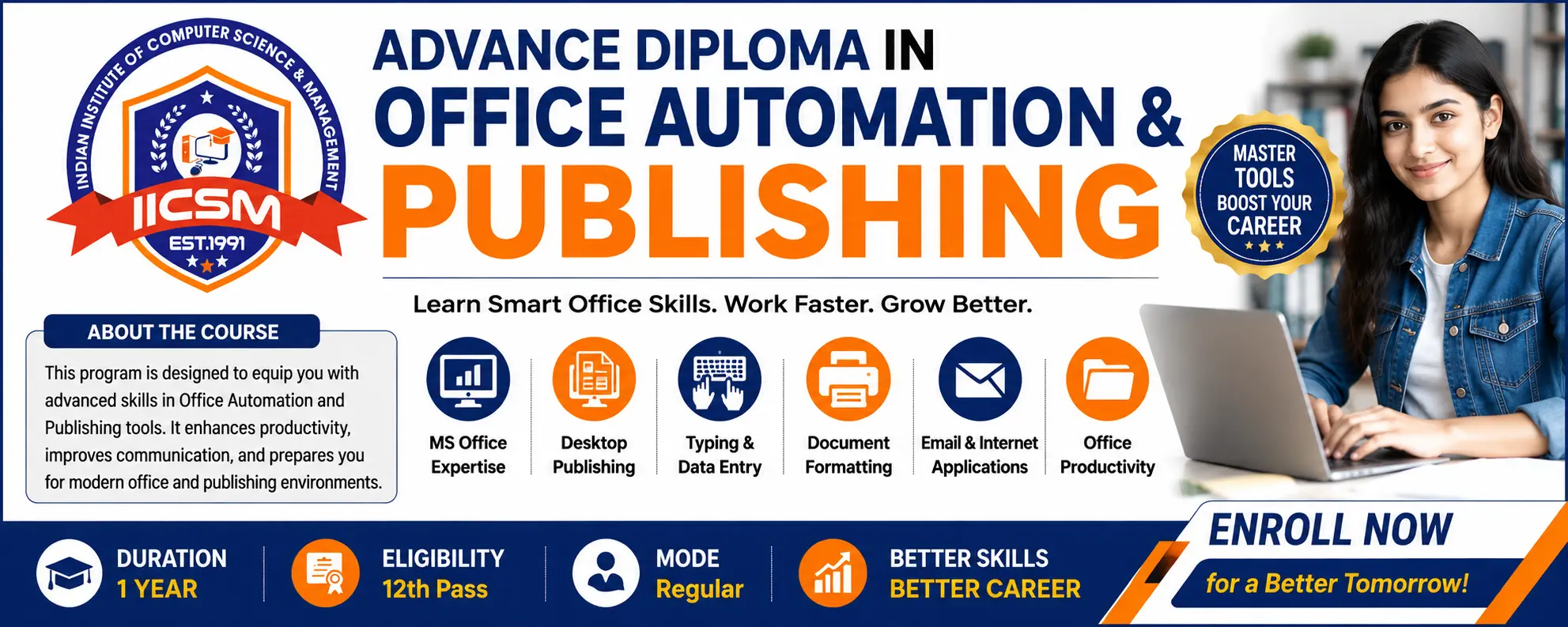
ADVANCE DIPLOMA In OFFICE AUTOMATION & PUBLISHING (ADOAP)(M-OA&P(-3780)

  • Last updated May, 2026
  • Certified Course
₹11,000 ₹13,500

Course Includes

  • Duration12 Months
  • Enrolled3
  • Lectures215
  • Videos0
  • Notes0
  • CertificateYes

What you'll learn

Course Overview

The Advance Diploma in Office Automation & Publishing (ADOAP) is a comprehensive skill-oriented diploma programme designed to prepare students for modern office, digital communication, documentation, publishing, and administrative work environments. The course integrates practical computer applications, office productivity tools, desktop publishing, internet technologies, communication skills, and employability training according to the vision of India’s National Education Policy (NEP) 2020.

This programme emphasizes:

  • Skill-based learning
  • Digital literacy
  • Practical and experiential education
  • Industry-oriented training
  • Employability and entrepreneurship
  • Multidisciplinary and flexible learning

NEP 2020 strongly promotes vocational and skill education integrated with mainstream learning, digital proficiency, and employability-focused education.


Course Details

Course Name : Advance Diploma in Office Automation & Publishing

Short Name : ADOAP

Duration : 12 Months

Eligibility : 12th Pass or Equivalent

Learning Mode : Theory + Practical + Project + Internship

Medium : Hindi / English

Assessment : Internal + Practical + Viva + Project

Certification : Diploma Certificate from IICSM

Course Objectives

The programme aims to:

  1. Develop professional computer and office automation skills.
  2. Train students in digital documentation and publishing.
  3. Build communication and workplace management abilities.
  4. Prepare learners for office administration and e-governance work.
  5. Enhance employability and entrepreneurial competencies.
  6. Promote practical and experiential learning aligned with NEP 2020.
  7. Provide industry-relevant digital and publishing skills.

Career Opportunities

After completing ADOAP, students can work as:

  • Computer Operator
  • Office Assistant
  • Data Entry Operator
  • DTP Operator
  • Publishing Assistant
  • Front Office Executive
  • Documentation Executive
  • E-Governance Operator
  • Digital Office Assistant
  • Freelance Designer
  • Content Formatting Executive

Students may also pursue:

  • Advanced IT Courses
  • Graphic Designing
  • Tally & Accounting
  • Digital Marketing
  • Web Designing

NEP 2020 Features Included

The programme is designed according to the major recommendations of NEP 2020:

  • Skill-based and vocational education
  • Practical learning and internships
  • Digital and technological integration
  • Communication and soft skills
  • Flexible and multidisciplinary learning
  • Employability and entrepreneurship focus
  • Outcome-based education
  • Experiential and project-based learning


Show More

Course Syllabus

Detailed Syllabus

Semester – I

Module 1: Fundamentals of Computer

  • Introduction to Computer
  • Types of Computers
  • Hardware & Software
  • Input and Output Devices
  • Operating System Basics
  • Computer Memory & Storage
  • File Management
  • Computer Security Basics

Practical

  • File and Folder Operations
  • Installing Basic Software
  • Windows Environment Practice

Module 2: Operating System & Internet

  • Windows Operating System
  • Control Panel
  • Internet Concepts
  • Web Browsing
  • Search Engines
  • Email Management
  • Cloud Storage
  • Online Safety & Cyber Security

Practical

  • Email Creation
  • Internet Searching
  • Online Form Submission
  • Cloud Uploading

Module 3: MS Word

  • Document Creation
  • Text Formatting
  • Tables & Charts
  • Page Setup
  • Mail Merge
  • Templates
  • Resume & Letter Designing
  • Official Documentation

Practical

  • Office Letters
  • Certificates
  • Notices
  • Reports
  • Resume Design

Module 4: Communication Skills & Employability

  • Spoken English Basics
  • Personality Development
  • Workplace Communication
  • Interview Skills
  • Teamwork & Ethics
  • Presentation Skills

Activities

  • Group Discussion
  • Mock Interview
  • Presentation Practice

Module 5: MS Excel

  • Spreadsheet Basics
  • Formula & Functions
  • Charts & Graphs
  • Data Sorting & Filtering
  • Payroll & Billing
  • MIS Reporting

Practical

  • Salary Sheet
  • Attendance Sheet
  • Result Sheet
  • Invoice Preparation

Module 6: MS PowerPoint

  • Presentation Design
  • Animation & Transition
  • Multimedia Integration
  • Smart Presentation Skills

Practical

  • Educational Presentation
  • Business Presentation
  • Seminar PPT


Semester – II

Module 7: Desktop Publishing (DTP)

  • CorelDRAW Basics
  • Adobe Photoshop Basics
  • PageMaker / InDesign
  • Designing Concepts
  • Banner & Poster Design
  • Visiting Card & Brochure Design

Practical

  • ID Card Design
  • Flex Banner
  • Brochure
  • Certificate Design
  • Social Media Post

Module 8: Hindi & English Typing

  • Unicode Typing
  • Kruti Dev Typing
  • English Typing Practice
  • Speed Improvement

Practical

  • Official Typing Work
  • Letter Drafting
  • Data Entry Practice

Module 9: Office Automation & Digital Office

  • Digital Documentation
  • E-Office Concepts
  • Google Workspace
  • Digital Records Management
  • Office Management Software
  • PDF Tools

Practical

  • Google Docs
  • Google Sheets
  • Online Collaboration
  • Digital Filing

Module 10: Accounting & Office Utility Software

  • Tally Basics
  • GST Introduction
  • Billing Software
  • Inventory Basics

Practical

  • Voucher Entry
  • GST Billing
  • Inventory Record

Module 11: Publishing & Printing Technology

  • Printing Basics
  • Color Concepts
  • Publishing Workflow
  • PDF Publishing
  • Digital Media Publishing

Practical

  • Print Layout
  • Magazine Cover
  • Flyer & Advertisement Design

Module 12: Project Work & Internship

  • Live Project
  • Office Documentation Project
  • Publishing Project
  • Internship / Field Training

Project Examples

  • School Brochure Design
  • Office Management Project
  • Digital Publication Project

Teaching Methodology

  • Smart Classroom Sessions
  • Practical Lab Work
  • Hands-on Assignments
  • Case Studies
  • Internship & Field Exposure
  • Project-Based Learning

Assessment Pattern


Theory Examination : 30%

Practical Examination : 40%

Project Work : 20%

Viva & Attendance : 10%

Learning Outcomes

After successful completion of the course, learners will be able to:

  • Operate modern office software efficiently.
  • Create professional digital documents.
  • Design publishing materials and office graphics.
  • Perform office automation and administrative tasks.
  • Use internet and cloud technologies safely.
  • Communicate effectively in workplace environments.
  • Work independently or in organizational settings.

Suggested Software Tools

  • MS Office
  • LibreOffice
  • CorelDRAW
  • Adobe Photoshop
  • Tally Prime
  • Google Workspace
  • PDF Utilities

Internship & Industry Exposure

Students will undergo:

  • Office Training
  • Documentation Practice
  • DTP Lab Assignments
  • Digital Office Work
  • Local Industry Exposure

Conclusion

The ADOAP programme under IICSM is a modern vocational diploma focused on practical digital office skills, publishing technologies, and employability competencies. The course supports the vision of NEP 2020 by integrating vocational education, digital literacy, skill development, and experiential learning for career readiness.

Course Fees

Course Fees
:
₹13500/-
Discounted Fees
:
₹ 11000/-
Course Duration
:
12 Months

Review

0.0
Course Rating (0 reviews)
0%
0%
0%
0%
0%


Call
Text Message
Review
Email
CHAT